JPG to WebP
Convert JPG images into WebP easily using our free online JPG to WebP converter tool at Image Toolz.




JPG to WebP Convert JPG Images to WebP Format
Speed matters for every website. Every second your page takes to load, you are losing visitors. And in most cases, heavy image files are the biggest reason pages feel slow.
That's why switching to WebP is one of the smartest moves you can make today. And this tool makes that switch completely effortless.
What Is JPG to WebP?
Before we get into the tool, let's quickly understand what's actually happening here.
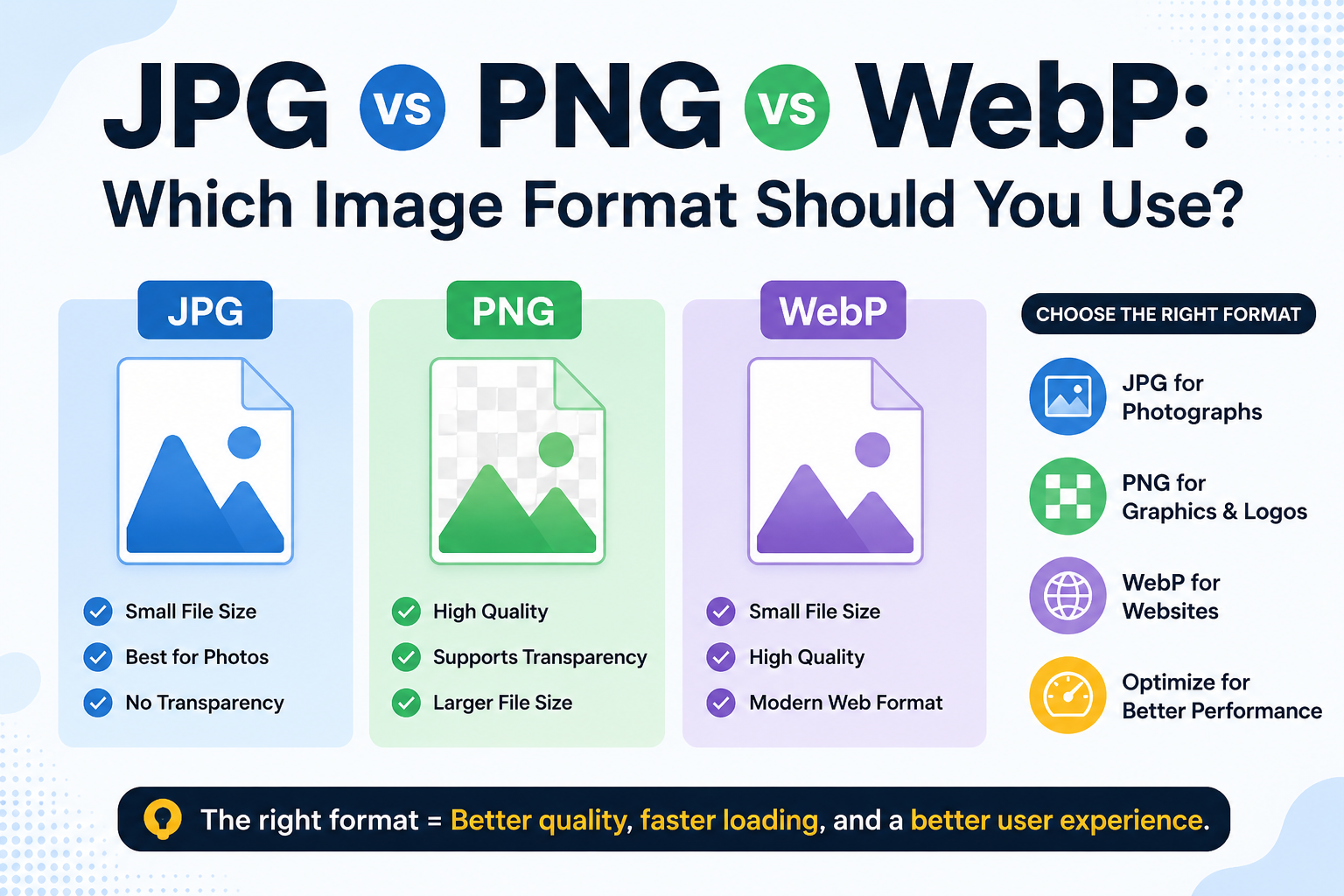
JPG (also written as JPEG) has been the go-to image format for decades. It's widely supported, easy to use, and works everywhere. But it comes with a downside: file sizes can get large, especially for high-quality photos.
WebP is a new image type made by Google and designed specifically for websites. According to Google's own data, WebP images are on average 25-34% smaller than JPG images at the same visual quality. That means faster loading times, lower bandwidth usage, and a better experience for your visitors.
A JPG-to-WebP converter converts your existing JPG image to WebP, giving you a smaller, web-optimized file with no noticeable drop in quality.
Honestly, if you're running a website and still uploading JPG files, you're leaving free performance on the table.
How to Use the JPG to WebP Tool
No technical background needed. Just follow these simple steps:
- Open the JPG to WebP tool on Image Toolz
- Click "Choose File" to upload your JPG image or click "Use Remote URL" to paste a direct image link from the web.
- Click the "Convert" button
- Wait a few seconds while the tool processes your file
- Download your converted WebP image instantly
Use Cases of the JPG to WebP Tool
This conversion is more useful than most people think. Here's where it genuinely makes a difference:
- Website owners and bloggers: Every image on your site is an opportunity to improve speed. Converting JPG photos to WebP reduces page weight without touching your design or layout.
- eCommerce stores: Product pages with fast-loading images keep shoppers engaged. Slower pages push them away. WebP images load noticeably faster, especially on mobile.
- Developers and designers: Modern web projects follow performance best practices. WebP is now the recommended format for web images, and converting existing assets is a standard part of that workflow.
- Social media managers: Uploading lighter images means faster uploads and better results when platforms process and re-compress your files.
- Anyone managing a Google PageSpeed score: Images are consistently flagged in PageSpeed reports. Converting JPGs to WebP is one of the most direct ways to improve that score.
Benefits of Using Our Tool
There are several tools online for converting JPG to WebP. Most of them work, but many come with unnecessary friction, upload limits, forced sign-ups, or ads that get in the way.
- 100% free: no subscription, no hidden charges
- Remote URL support: convert images directly from a web link
- Fast processing: conversion completes in seconds
- Browser-based: nothing to download or install
- Clean interface: no ads cluttering the experience
- Privacy safe: your files are not stored after conversion
FAQs
Will my image quality drop after conversion?
Not in any noticeable way. WebP is designed to match the quality of JPGs while using less space. Most viewers cannot tell the difference.
What is the maximum upload size?
Up to 5MB. For larger files, compress or resize your JPG before converting.
Do other browsers support the WebP Format?
Yes. All major browsers, such as Chrome, Firefox, Safari, and Edge, support the WebP format. Compatibility is no longer a concern for modern websites.
Are my files kept after conversion?
No. Files are processed and immediately removed. Nothing is stored on any server.
.png)
Image Toolz
CEO / Co-Founder
I am a software engineer, web developer, and Google AdSense expert with two years of experience. I created a free image tools website to provide easy and accessible image tools for everyone.
Popular Tools
Recent Posts